
You want great sound. You want comfort for long listening sessions. And you absolutely do not want to spend a fortune. The search for the best cheap over-ear headphones often feels like a minefield of muddy bass, flimsy plastic, and disappointing battery life. The problem is real: the market is flooded with options that either look good but sound terrible or sound decent but fall apart in a month. But here’s the good news—you don’t need to spend $300 to get a satisfying listening experience. The sweet spot for budget over-ears now sits comfortably between $30 and $80, offering features like active noise cancellation, Bluetooth 5.3, and surprisingly balanced audio. This guide cuts through the noise. We’ll break down exactly what to look for, which specs actually matter, and how to avoid the common traps that lead to wasted money. By the end, you’ll know precisely how to pick a pair that fits your lifestyle, your head, and your wallet.
What Defines the “Best” in the Budget Over-Ear Category?
The definition of “best” in the budget segment isn’t about having the most features. It’s about delivering the optimal balance of sound quality, build durability, and comfort at a price that doesn’t induce buyer’s remorse. The winners in this category are those that outperform their price point in at least two of these three core areas.
When we talk about value, we are looking at the performance-per-dollar ratio. A $50 pair of headphones that sounds like a $90 pair is an excellent deal. Conversely, a $40 pair that sounds like a $20 pair is a rip-off, regardless of the brand name on the box. Therefore, evaluating your priorities is step one. Are you a commuter needing noise isolation? A gamer needing a mic? Or a home listener wanting pure audio fidelity?
Core Metrics: Frequency Response and Driver Size
The driver is the heart of the headphone. Most budget models use dynamic drivers ranging from 40mm to 50mm. A larger driver generally moves more air, producing deeper bass and better dynamics. However, don’t obsess over size alone. Look for a frequency response that covers at least 20Hz to 20kHz—the standard human hearing range—but pay more attention to the tuning. Many budget sets artificially boost the bass to sound “impressive” in the store, which quickly leads to listener fatigue. You want a neutral or slightly V-shaped signature.
Impedance and Sensitivity Explained Simply
In simple terms, impedance (measured in Ohms) tells you how much power the headphones need to get loud. For a phone or laptop, you want low impedance (16–32 ohms). Sensitivity (measured in dB) tells you how efficiently they convert power into volume. Look for a sensitivity of at least 100dB/mW. If a pair has high impedance (like 250 ohms) and low sensitivity, your phone will struggle to drive them, resulting in quiet, lifeless audio—even if the headphones are technically “good.”
Wired vs. Wireless: The Budget Trade-off
Under $50, you often have to pick a side. Wired headphones offer unlimited battery life and zero latency, but the cable can be annoying. Wireless options offer convenience but often cut corners on the DAC (digital-to-analog converter) and amplifier inside. For the best sound under $60, a wired pair with a detachable cable is often superior. However, if you must go wireless, ensure it has AAC or aptX codec support for better Bluetooth audio quality—not just SBC.
Why Are Some Budget Over-Ear Headphones Terrible?
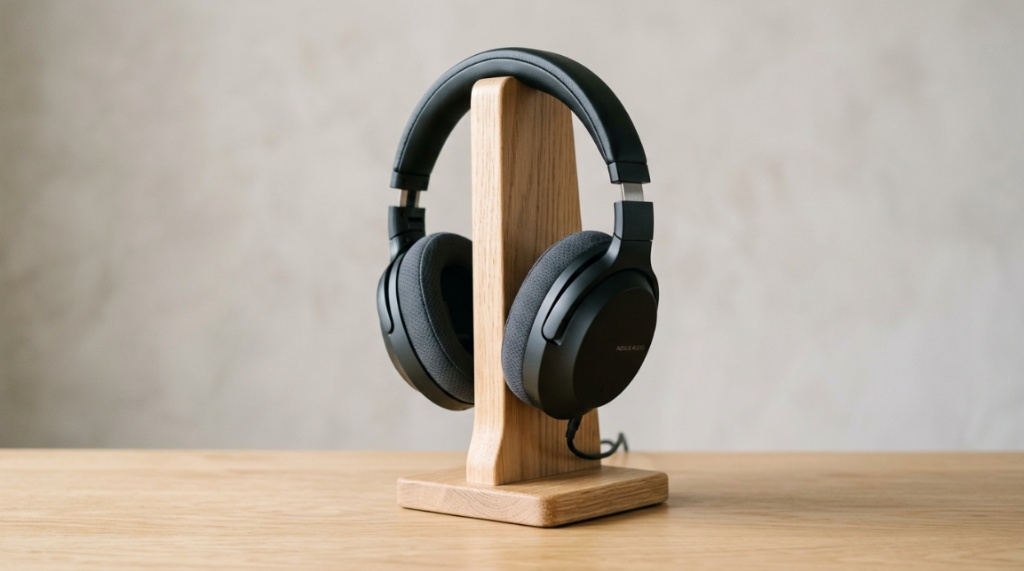
Most terrible budget headphones fail for one specific reason: they cut costs on the transducer and the housing materials. You can’t polish a turd, and no amount of software EQ can fix a driver that distorts at high volumes.
The other primary culprit is the lack of quality control. A brand might produce a great prototype but then use cheaper magnets or thinner voice coils in mass production to save a few cents per unit. This leads to inconsistency—one pair might sound fine, but the next might have a rattling driver. This is why brand reputation and user reviews matter more than the spec sheet alone.
The Dangers of Excessive Bass Boosting
Manufacturers often boost the bass to mask the lack of detail in the mid-range and treble frequencies. This creates a “boom and hiss” profile. While it might sound fun for the first 10 minutes, it becomes exhausting. The bass bleeds into the mids, making vocals sound muffled and instruments sound muddy. A truly good budget headphone should have controlled bass that doesn’t overpower the mids.
Build Quality: Plastic vs. Metal vs. Reinforced Polymer
Look for reinforced nylon or ABS plastic in the headband. Flimsy plastic that flexes easily will eventually snap at the hinge. Always check if the ear cups swivel. This isn’t just a comfort feature; it relieves stress on the hinge points, preventing breakage. A good budget pair should survive being tossed into a backpack without a case.
Why “Studio” and “DJ” Labels on Cheap Sets Are Red Flags
Unless the brand is a known audio company (like Audio-Technica or Sony), a $30 pair labeled “Professional Studio Monitor” is a scam. These labels are marketing fluff designed to trick novices. True studio monitors require a flat frequency response and high power handling—components that cost money. Ignore the labels and focus on the sound signature.
How to Judge Sound Quality Without a Golden Ear?
You don’t need to be an audiophile to spot a good pair. There are three simple audio tests you can perform immediately after unboxing. These tests will reveal the true nature of the drivers and tuning quickly.
First, play a song you know intimately. Something with acoustic guitars and vocals. If the sibilance (the “s” sounds) is painfully sharp, the treble is too aggressive. If the vocals sound like they are in a tunnel, the mids are recessed.
Step 1: The Instrument Separation Check
Play a complex track—think jazz or orchestral. A good headphone will allow you to pick out individual instruments. A bad one will make everything sound like a wall of noise. If you can follow the bassline and the hi-hat independently, the drivers are doing their job. This is called “separation.”
Step 2: The Sub-Bass Rumble Test
Use a track like “Limit to Your Love” by James Blake. Listen for the sub-bass drop. Does it rumble with texture, or does it just blur into a buzz? A great budget headphone will reproduce a deep, tactile thump without distorting the rest of the track.
Step 3: The Volume Staircase
Start at 20% volume and slowly increase to 80%. Does the sound stay clean, or does it become harsh and strained? A well-designed headphone should handle this increase gracefully. If you hear cracking or the drivers bottom out, return them immediately.
Which Features Matter Most in the Sub-$80 Price Range?
Prioritize comfort and battery life. These are the features that will affect your daily usage more than the difference between codecs. If the headphones are heavy or the clamping force is too strong, you’ll stop using them, rendering the sound quality irrelevant.
Regarding battery, look for a minimum of 30 hours. Anything less is unacceptable in 2024, even for budget products. Also, check for fast charging—a 10-minute charge for 4 hours of playback is a game-changer.
Comfort: The Weight and Clamp Force Equation
Weight should be under 250 grams. Heavier sets cause neck fatigue. More importantly, the clamp force should be moderate. They should stay on your head during a brisk walk but not squeeze your temples like a vice. Look for plush memory foam earpads, not just thin leather-like material. Protein leather is fine, but make sure it doesn’t get sticky when you sweat. For a deep dive into regional comparisons and curated picks, you can check out the best cheap over-ear headphones guide, which highlights models that excel in urban environments.
Bluetooth Codecs: AAC vs. aptX vs. SBC
SBC is the standard but delivers mediocre quality. AAC (Apple) is better. aptX (Android) reduces latency and improves bitrate. For a budget price, if you have an Android phone, look for aptX. It usually costs slightly more but is worth it for the clarity. If you’re an iPhone user, AAC is perfect.
Microphone Quality for Calls and Gaming
Most budget mics are terrible. If you take calls in loud areas, look for active noise cancellation via microphone (ENC). This uses multiple mics to filter background noise. For gaming, a physical 3.5mm boom mic attachment is better than a built-in inline mic.
Can You Get Good Active Noise Cancellation (ANC) for Cheap?
Yes, but with a realistic expectation. For under $70, you cannot expect the ANC to eliminate the roar of a jet engine like the Sony WH-1000XM5. However, you *can* get decent ANC that reduces low-frequency hums—like airplane drones or air conditioning—enough to hear your music at lower volumes.
Cheap ANC has two downsides: a slight “pressure” feeling in your ears and a reduction in audio fidelity when the ANC is switched on. Some budget sets also introduce a faint white noise hiss. Always test the ANC with music playing, not in silence, to see if the hiss is annoying.
Passive Isolation vs. Digital ANC
Sometimes, a well-sealed over-ear headphone provides better noise reduction than a bad ANC chip. A tight clamp with thick earpads creates a physical seal. This passive isolation doesn’t introduce any pressure or hiss. If your budget is strict (under $50), prioritize the physical seal over active ANC. Whether you are tuning out background noise during your travels or testing connection speeds while working from a serviced apartment, having reliable gear is essential for productivity.
Transparency Mode: Is It a Gimmick at This Price?
Mostly, yes. On expensive sets, transparency mode lets in ambient sound so you can hear your surroundings. On budget sets, it often sounds like you are talking through a tin can and adds a noticeable hiss. Don’t buy a budget headphone *for* this feature; treat it as a bonus if it works passably.
When Is the Best Time to Buy to Maximize Savings?
Timing your purchase can save you an additional 20–40%. The major sale events are not just for high-end gear. Black Friday and Prime Day often see massive discounts on best-selling budget headphones, sometimes dropping $60 models to $30.
However, the best-kept secret is the release cycle. When a company releases a new generation (e.g., Soundcore Liberty 4 to 5), the previous generation drops in price significantly. These “old” models are still excellent, often better than the new budget competitors.
Seasonal Trends: Back-to-School and Christmas
Back-to-school (August-September) is excellent for wired budget models as students stock up. January is the “clearance” month where retailers dump holiday overstock. This is the perfect time to snag a deep discount on a well-reviewed pair that was too expensive in December.
Refurbished and Open-Box Deals
Don’t discount the “Amazon Warehouse” or manufacturer-refurbished sections. Buying refurbished directly from the manufacturer (like Anker or JBL) often gets you a better price and the same warranty. Just ensure it comes with a return policy—you don’t want to be stuck with a damaged pair.
Which Brands Offer the Most Consistent Budget Performance?
Anker (Soundcore) is the undisputed king of the budget to mid-range segment. Their drivers are reliable, and their tuning is remarkably mature. Other strong contenders include JBL (for bass-heavy tuning), Audio-Technica (for neutral wired sound), and OnePlus (for wireless features).
You should be wary of no-name brands with random letter sequences. While some are surprisingly good, the lack of accountability means you have no recourse if they break in two weeks. Stick to brands with a history of customer support and firmware updates.
The Legacy of Audio-Technica and Sennheiser
These “audiophile” brands offer entry-level models that are outstanding if you don’t need wireless. A pair like the Audio-Technica ATH-M20x offers astonishing clarity for under $50, but it is wired and lacks a mic. If your goal is pure music at a desk, these are unbeatable in terms of sound.
The Rise of the “Lifestyle” Brands: JBL and Skullcandy
JBL is known for its durable build and punchy, fun sound. They are not neutral, but they are very enjoyable for pop and hip-hop. Skullcandy offers a long battery and a “Skull-IQ” feature that is often gimmicky. For raw audio value, these brands often fall short of Anker, but they excel in style and bass.
How to Test Headphones in a Store (The Smart Way)
If you have the chance to visit a Best Buy or electronics store, don’t just listen to the demo track. The store demos are always high-energy pop tracks that mask flaws. Instead, use your phone with your own music.
Plug in your phone via the AUX cord (if available) or connect via Bluetooth. Play a track with a lot of dynamic range—a quiet song that builds to a loud crescendo. This will test the drivers’ ability to handle loud peaks without distortion.
The “Rattle” Test
Turn the headphones up to 80% volume and play a track with heavy bass. Hold the headphone cups gently in your hands. If you feel a buzzing vibration or hear a rattling sound, the driver is not secured properly. This is a sign of poor assembly.
The “Built to Break” Check
The “headband” is the #1 failure point. Gently twist the headband with a slight torsion (twisting motion). It should feel sturdy, not like it’s going to snap. Also, repeatedly swivel the earcups. If you feel a gritty grind, the plastic joint is already wearing down.
Is Bluetooth Latency an Issue for Gamers?
Yes, it can be a deal-breaker. Standard Bluetooth has a latency of 150-300ms, which means you’ll hear the gunshot after you see the flash. This makes rhythm games and FPS shooters unplayable. However, this is where having a 3.5mm jack becomes critical.
For gaming, the best budget choice is a wired connection. If you must use wireless, look for a low-latency mode (often advertised as “Gaming Mode” or “Low Latency”). This reduces the delay to around 60-80ms, which is acceptable.
Multipoint Connection: A Hidden Gem
Do you want to listen to music on your laptop and take a call on your phone simultaneously? Multipoint connection allows you to connect two devices at once. This feature is rare under $50 but is becoming more common. Check the spec sheet for “Dual Connection” or “Multipoint.”
Wired is Always a backup.
Always, always buy a pair that allows you to plug in via a 3.5mm jack, even if passive. If the battery dies, you should be able to still use them. Some budget pairs don’t allow this, which is a massive downside.
What are the ideal weight and portability for travel?
For travel, you want portability. If you are flying, you need them to fold flat to fit in a seatback pocket. If you’re commuting, they need to be sturdy enough to hang around your neck without bending.
Look for a “swivel fold” design. This saves significant space. Additionally, the carrying case should be a hard case, not a mesh pouch. A hard case costs more, but it protects your investment.
Why the Ear Cup Depth Matters More Than You Think
Shallow ear cups press against your ears, causing “hot spots” after an hour. You need space for your ears to sit inside the cup, not be crushed by it. Look for ear cups that are at least 0.5 inches deep. This is often missing from cheap Chinese products.
The Material of Earpads: Velour vs. Protein Leather
Protein leather looks nice but gets sweaty. Velour is breathable but absorbs sweat and isn’t great outdoors. For an all-rounder, a “leatherette” with memory foam is best. Check if the earpads are replaceable—this extends the lifespan of the headphones by years.
How to Maintain Your Budget Headphones to Double Their Lifespan
Your budget headphones will last longer if you treat the cable and the jack like gold. The most common failure point is the 3.5mm jack. If it plugs into the headphones (detachable), buy a backup cable immediately.
For wireless, the battery is the timer. Avoid fully draining the battery every single day. Lithium-ion batteries last longer when kept between 20% and 80% charged. Leaving them at 0% for months will kill them.
Cleaning Techniques for Earpads
Use a slightly damp microfiber cloth to wipe the earpads weekly. This removes the oil and grime that break down the material. For deep cleaning, remove the earpads (if possible) and wash them with mild soap and water, then air dry completely.
Cable Management is Health Management
Never wrap the cable tightly around the headphones when not in use. This bends the internal wires and eventually causes “shorting” one side to go dead. Instead, coil the cable loosely in a figure-8 pattern and store it in a separate pocket.
Frequently Asked Questions
What is the difference between over-ear and on-ear headphones?
Over-ear headphones completely encompass your ears, providing better passive noise isolation and typically more comfort for long sessions. On-ear headphones rest *on* your ears. Over-ear models are generally heavier but create a better acoustic seal, which is crucial for good bass response.
Is it worth spending $50 more on a $100 pair instead of $50?
Not always. The jump from $20 to $50 is massive (quality doubles). The jump from $50 to $100 is noticeable (quality increases by 25%). The “sweet spot” for budget audio is $40-$60. Beyond that, you hit diminishing returns where you pay for minor refinements.
Why does my new Bluetooth headphone keep cutting out?
This is usually due to interference. Bluetooth uses the same 2.4GHz band as Wi-Fi. Move your router away or ensure your headphones support “Multi-link,” a feature that connects to both 2.4 and 5 GHz. Also, keep your phone < 30 feet away with a clear line of sight.
What does “40mm driver” mean in plain English?
It refers to the diameter of the speaker inside the ear cup. A 40mm driver is the standard for full-size headphones. It’s the magic number for generating enough air pressure for good bass. Smaller drivers (30mm) often sound tinny.
Can I replace the battery in my budget headphones?
Rarely. Most budget models are glued shut. However, if the battery fails, you can usually buy a replacement pair for the same price as a battery replacement service. This is why buying a $30 pair makes more sense than a $50 pair if you abuse batteries.
What is the difference between noise-canceling and sound-isolating?
Noise canceling uses active electronics to generate frequencies that cancel out ambient noise. Sound isolating is a physical barrier sealing off your ears. Effective noise canceling is expensive. For $40, a good physical seal (isolation) is often more effective than a bad ANC circuit.
Are cheap headphones bad for your hearing?
The headphones themselves aren’t bad, but their tendency to push you toward distorted highs can cause you to turn the volume up too high. If you hear music at less than 80dB, you’re safe. If you can’t hear someone talking at a normal level, it’s too loud.
Conclusion: The Value Equation for Your Next Pair
Choosing the right budget over-ear headphones comes down to knowing what trade-off to make. You cannot have flagship-level noise cancellation, premium materials, and high-resolution audio for $40. But you *can* have a pair that nails the essentials: clear vocals, punchy bass without bleed, comfortable padding, and a robust cable or battery life.
Our final recommendation hinges on your primary use case. For commuters who prioritize silence and battery, prioritize a Soundcore or Anker model with foam seals. For desk workers who want accuracy, a wired Audio-Technica pair is unbeatable. Remember to check the weight, look for a detachable cable, and test the distortion threshold early.
Don’t overthink the numbers. A good pair will feel right. They sound clear, sit snug, and you don’t notice them during music. Now, go ahead—analyze your needs, check the reviews, and buy with confidence. The perfect pair is out there, and it doesn’t need to cost three figures.